Page Not Found
Sorry, but the page you were trying to view does not exist.
A list of all the posts and pages found on the site. For you robots out there, there is an XML version available for digesting as well.
Sorry, but the page you were trying to view does not exist.
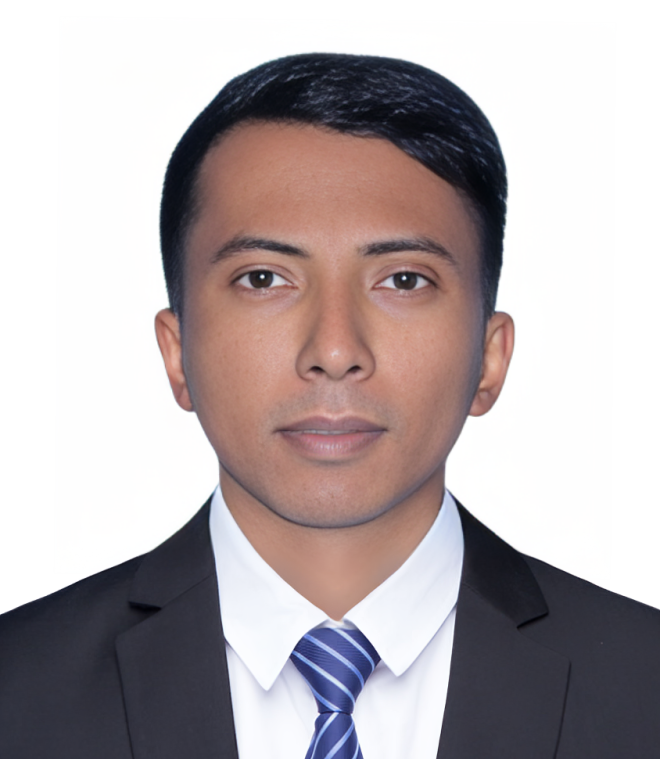
Hi, I am Md Mazharul Islam — a cloud engineer and cybersecurity researcher working at the intersection of privacy-preserving computation, trustworthy AI and LLM security, and the resilience of cyber-physical systems. I am pursuing a PhD to design infrastructure that stays secure as intelligent systems take on increasingly critical roles.
Searchable and homomorphic encryption, identity-based encryption, secure multi-party computation, and privacy-preserving cloud storage.
Adversarial robustness, federated learning, secure fine-tuning of LLMs, RAG security, and defensive architectures for AI in safety-critical settings.
Anomaly detection, resilience, and secure communication in smart grids and IoT-enabled critical infrastructure.
A variety of common markup showing how the theme styles them.
Single line blockquote:
Quotes are cool.
| Entry | Item | |
|---|---|---|
| John Doe | 2016 | Description of the item in the list |
| Jane Doe | 2019 | Description of the item in the list |
| Doe Doe | 2022 | Description of the item in the list |
| Header1 | Header2 | Header3 |
|---|---|---|
| cell1 | cell2 | cell3 |
| cell4 | cell5 | cell6 |
| cell1 | cell2 | cell3 |
| cell4 | cell5 | cell6 |
| Foot1 | Foot2 | Foot3 |
Make any link standout more when applying the .btn class.
Watch out! You can also add notices by appending {: .notice} to a paragraph.
This is an example of a link.
The abbreviation CSS stands for “Cascading Style Sheets”.
“Code is poetry.” —Automattic
You will learn later on in these tests that word-wrap: break-word; will be your best friend.
This tag will let you strikeout text.
The emphasize tag should italicize text.
This tag should denote inserted text.
This scarcely known tag emulates keyboard text, which is usually styled like the <code> tag.
This tag styles large blocks of code.
.post-title {
  margin: 0 0 5px;
  font-weight: bold;
  font-size: 38px;
  line-height: 1.2;
  and here's a line of some really, really, really, really long text, just to see how the PRE tag handles it and to find out how it overflows;
}
Developers, developers, developers…
–Steve Ballmer
This tag shows bold text.
Getting our science styling on with H2O, which should push the “2” down.
Still sticking with science and Isaac Newton’s E = MC2, which should lift the 2 up.
This allows you to denote variables.
Sorry, but the page you were trying to view does not exist.
Hi, I am Md Mazharul Islam — a cloud engineer and cybersecurity researcher working at the intersection of privacy-preserving computation, trustworthy AI and LLM security, and the resilience of cyber-physical systems. I am pursuing a PhD to design infrastructure that stays secure as intelligent systems take on increasingly critical roles.
Searchable and homomorphic encryption, identity-based encryption, secure multi-party computation, and privacy-preserving cloud storage.
Adversarial robustness, federated learning, secure fine-tuning of LLMs, RAG security, and defensive architectures for AI in safety-critical settings.
Anomaly detection, resilience, and secure communication in smart grids and IoT-enabled critical infrastructure.
` tag. ### Preformatted Tag This tag styles large blocks of code.
.post-title {
margin: 0 0 5px;
font-weight: bold;
font-size: 38px;
line-height: 1.2;
and here's a line of some really, really, really, really long text, just to see how the PRE tag handles it and to find out how it overflows;
}
### Quote Tag Developers, developers, developers…
–Steve Ballmer ### Strong Tag This tag shows **bold text**. ### Subscript Tag Getting our science styling on with H2O, which should push the "2" down. ### Superscript Tag Still sticking with science and Isaac Newton's E = MC2, which should lift the 2 up. ### Variable Tag This allows you to denote variables. {% include base_path %} {% for post in site.pages %} {% include archive-single.html %} {% endfor %} </div> </article> </div> Blog
{% include base_path %}
Practical write-ups on cloud, security, and AI certifications — how I prepared, what worked, and tips for anyone on the same path.
{% capture written_year %}'None'{% endcapture %} {% for post in site.posts %} {% capture year %}{{ post.date | date: '%Y' }}{% endcapture %} {% if year != written_year %}{{ year }}
{% capture written_year %}{{ year }}{% endcapture %} {% endif %}
{{ post.date | date: "%B %d, %Y" }} {% if post.description %}{{ post.description }}
{% endif %} {% if post.points %} {% for point in post.points %}- {{ point }}
{% endfor %}
{% endif %} Read article → {% if post.mediumurl %} Also on Medium ↗ {% endif %}{% endfor %}
Posts by Category
{% include base_path %} {% include group-by-array collection=site.posts field="categories" %} {% for category in group_names %} {% assign posts = group_items[forloop.index0] %}{{ category }}
{% for post in posts %} {% include archive-single.html %} {% endfor %} {% endfor %}
Certifications
Industry certifications across cloud platforms, artificial intelligence, and cybersecurity — all independently verifiable.
Amazon Web Services (AWS)
AWS Certified AI Practitioner (AIF-C01)
June 2025
AWS Certified Cloud Practitioner (CLF-C02)
June 2025
EC-Council
Certified Ethical Hacker (Master)
January 2025
Certified Ethical Hacker (ANSI)
January 2025
Certified Ethical Hacker (Practical)
December 2024
Oracle Cloud
OCI 2024 Generative AI Certified Professional
July 2024
OCI 2024 AI Foundations Associate
August 2024
Microsoft Azure
Microsoft Certified: Azure Data Fundamentals
July 2023
AI CERTs
AI+ Foundation™
April 2025
Udemy
Ultimate AWS Certified Solutions Architect Associate (SAA-C03)
December 2022
Posts by Collection
{% include base_path %} {% capture written_label %}'None'{% endcapture %} {% for collection in site.collections %} {% unless collection.output == false or collection.label == "posts" %} {% capture label %}{{ collection.label }}{% endcapture %} {% if label != written_label %}{{ label }}
{% capture written_label %}{{ label }}{% endcapture %} {% endif %} {% endunless %} {% for post in collection.docs %} {% unless collection.output == false or collection.label == "posts" %} {% include archive-single.html %} {% endunless %} {% endfor %} {% endfor %}
CV
{% include base_path %}
{% include cv-template.html %}
Education
Academic background in Computer Science and Engineering, with a research-focused master's in cloud security and privacy-preserving systems.
University
Master of Science in Computer Science and Engineering (MSc)
North South University
CGPA 3.97 / 4.00 · ≈ 99 / 100 · First-Class Standing
Thesis
"A Practical Framework for Storing and Searching Encrypted Data on Cloud Storage"Designed and implemented CryptoSearch, a secure and searchable encryption framework for cloud storage using symmetric cryptography with Identity-Based Encryption (IBE). The system enables efficient single and multi-keyword search over encrypted data while preserving user privacy, minimizing key-management overhead, and ensuring plaintext is never exposed to the storage provider. Also built a web application as an overlay on a cloud storage domain, demonstrating low response time and scalability.
Supervisor: Dr. Rajesh Palit
Bachelor of Science in Computer Science and Engineering (BSc)
North South University
CGPA 3.24 / 4.00 · ≈ 81 / 100
School
Higher Secondary Certificate (HSC) — Science
Ansar VDP School & College
GPA 5.00 / 5.00 · Perfect Score
Secondary School Certificate (SSC) — Science
Ansar VDP High School
GPA 5.00 / 5.00 · Perfect Score
Experience
A track record spanning academic research, university teaching, and industry roles in cloud engineering and cybersecurity.
Research Experience
Research Assistant
Jan 2024 – Present
Institute for Advanced Research (IAR) Lab
- Designing a privacy-preserving fraud-detection framework for healthcare data using cryptographic techniques and machine-learning anomaly detection.
- Developing models to identify abnormal and fraudulent patterns across healthcare and critical-infrastructure datasets.
- Conducting experimental evaluation of detection accuracy, scalability, and system security.
Graduate Research Assistant
Feb 2022 – Apr 2024
Cyber-Physical System (CPS-PMU) Research Lab
- Built and deployed cyber-physical system (CPS) testbeds for smart-grid security research and attack–defense simulation.
- Modeled and synchronized power-system and communication layers using NS-3, HELICS, and GridPACK on Linux.
- Developed co-simulation environments to analyze attack impact, resilience, and anomaly-detection strategies.
Teaching Experience
Graduate Teaching Assistant
Jul 2023 – Jun 2024
Department of Electrical & Computer Engineering
- Led supplemental instruction and review sessions for Advanced DBMS (CSE411), Simulation & Modeling (CSE422), and Internet & Web Technologies (CSE482).
- Supported faculty with grading, course logistics, and student consultations to ensure effective academic delivery.
Professional Experience
Assistant Manager (Cloud)
Apr 2024 – Present
Bangladesh Data Center Company Limited (BDCCL)
- Provision and manage Oracle Cloud Infrastructure (OCI) compute, storage, and database resources under an Infrastructure-as-Code model.
- Automate infrastructure delivery with Terraform for consistent, repeatable, and auditable deployments.
- Deliver SLA-driven cloud support, security, and compliance — troubleshooting and resolving client issues for seamless service.
Cyber Security Instructor (Part-Time)
Sep – Nov 2023
Ethics Advanced Technology Limited (EATL)
- Delivered hands-on cybersecurity training to 50+ IT professionals from leading banks using EC-Council ICBT iLabs.
- Designed and managed interactive labs in network security, ethical hacking, and incident response.
- Mentored participants individually to strengthen practical threat detection and mitigation skills.
Solution Engineer
Dec 2020 – May 2021
One World Infotech Limited
- Deployed enterprise multi-factor authentication (OneSpan) to strengthen client security posture.
- Conducted penetration testing and vulnerability assessments across enterprise environments.
- Supported SOC transformation and incident-response readiness aligned with compliance requirements.
Honors & Awards
Recognition for academic excellence, international competition, and service to the research community.
Honors & Recognition
Vice-Chancellor's Gold Medal
December 2024
North South University, Bangladesh
25th Convocation · Academic Excellence
Awarded for outstanding academic achievement at the 25th Convocation of North South University.
Huawei ICT Competition 2023–2024 (Network Track)
Jan – May 2024
Huawei ICT Academy
-
2nd place globally in the Global Final (Shenzhen, China) as part of a 3-member team.
-
3rd place in the National Round (Bangladesh).
- Attended the Asia-Pacific Award Ceremony in Jakarta, Indonesia.
Academic Service
Reviewer — Int. Conf. on Data, Computation, and Communication (ICDCC-2024)
November 2024
VIT Bhopal University, India
Reviewer — Int. Conf. on Innovations in Data Science (ICIDS-2024)
November 2024
Manipal University Jaipur, India
/* * This file controls what is imported from /_sass * * Note that the files are processed in the order they are imported, so they are partly sorted by the dependencies. Also, the first two lines of the file are required by Jekyll. */ @import "vendor/breakpoint/breakpoint", "themes", "theme/default", "theme/dark", "include/mixins", "vendor/susy/susy", "layout/reset", "layout/base", "include/utilities", "layout/tables", "layout/buttons", "layout/notices", "layout/masthead", "layout/navigation", "layout/footer", "syntax", "layout/forms", "layout/page", "layout/archive", "layout/sidebar", "vendor/font-awesome/fontawesome", "vendor/font-awesome/solid", "vendor/font-awesome/brands" ;
Markdown
{% include toc %} ## Locations of key files/directories * Basic config options: _config.yml * Top navigation bar config: _data/navigation.yml * Single pages: _pages/ * Collections of pages are .md or .html files in: * _publications/ * _portfolio/ * _posts/ * _teaching/ * _talks/ * Footer: _includes/footer.html * Static files (like PDFs): /files/ * Profile image (can set in _config.yml): images/profile.png ## Tips and hints * Name a file ".md" to have it render in markdown, name it ".html" to render in HTML. * Go to the [commit list](https://github.com/academicpages/academicpages.github.io/commits/master) (on your repo) to find the last version GitHub built with Jekyll. * Green check: successful build * Orange circle: building * Red X: error * No icon: not built * Academic Pages uses [Jekyll Kramdown](https://jekyllrb.com/docs/configuration/markdown/), GitHub Flavored Markdown (GFM) parser, which is similar to the version of Markdown used on GitHub, but may have some minor differences. * Some of emoji supported on GitHub should be supposed via the [Jemoji](https://github.com/jekyll/jemoji) plugin :computer:. * The best list of the supported emoji can be found in the [Emojis for Jekyll via Jemoji](https://www.fabriziomusacchio.com/blog/2021-08-16-emojis_for_Jekyll/#computer) blog post. * While GitHub Pages prevents server side code from running, client-side scripts are supported. * This means that Google Analytics is supported, and [the wiki](https://github.com/academicpages/academicpages.github.io/wiki/Adding-Google-Analytics) should contain the most up-to-date information on getting it working. * Your CV can be written using either Markdown ([preview](https://academicpages.github.io/cv/)) or generated via JSON ([preview](https://academicpages.github.io/cv-json/)) and the layouts are slightly different. You can update the path to the one being used in `_data/navigation.yml` with the JSON formatted CV being hidden by default. * The [Liquid syntax guide](https://shopify.github.io/liquid/tags/control-flow/) is a useful guide for those that want to add functionality to the template or to become contributors to the [template on GitHub](https://github.com/academicpages/academicpages.github.io). ## MathJax Support for MathJax (version 3.* via [jsDelivr](https://www.jsdelivr.com/), [documentation](https://docs.mathjax.org/en/latest/)) is included in the template: $$ \displaylines{ \nabla \cdot E= \frac{\rho}{\epsilon_0} \\\ \nabla \cdot B=0 \\\ \nabla \times E= -\partial_tB \\\ \nabla \times B = \mu_0 \left(J + \varepsilon_0 \partial_t E \right) } $$ The default delimiters of `$$...$$` and `\\[...\\]` are supported for displayed mathematics, while `\\(...\\)` should be used for in-line mathematics (ex., \\(a^2 + b^2 = c^2\\)) **Note** that since Academic Pages uses Markdown which cases some interference with MathJax and LaTeX for escaping characters and new lines, although [some workarounds exist](https://math.codidact.com/posts/278763/278772#answer-278772). In some cases, such as when you are including MathJax in a `citation` field for publications, it may be necessary to use `\(...\)` for inline delineation. ## Mermaid diagrams Academic Pages includes support for [Mermaid diagrams](https://mermaid.js.org/) (version 11.* via [jsDelivr](https://www.jsdelivr.com/)) and in addition to their [tutorials](https://mermaid.js.org/ecosystem/tutorials.html) and [GitHub documentation](https://github.com/mermaid-js/mermaid) the basic syntax is as follows: ```markdown ```mermaid graph LR A-->B ``` ``` Which produces the following plot with the [default theme](https://mermaid.js.org/config/theming.html) applied: ```mermaid graph LR A-->B ``` While a more advanced plot with the `forest` theme applied looks like the following: ```mermaid --- config: theme: 'forest' --- graph TD; A-->B; A-->C; B-->D; C-->D; ``` ## Plotly Academic Pages includes support for Plotly diagrams via a hook in the Markdown code elements, although those that are comfortable with HTML and JavaScript can also access it [via those routes](https://plotly.com/javascript/getting-started/). In order to render a Plotly plot via Markdown the relevant plot data need to be added as follows: ```markdown ```plotly { "data": [ { "x": [1, 2, 3, 4], "y": [10, 15, 13, 17], "type": "scatter" }, { "x": [1, 2, 3, 4], "y": [16, 5, 11, 9], "type": "scatter" } ] } ``` ``` **Important!** Since the data is parsed as JSON *all* of the keys will need to be quoted for the plot to render. The use of a tool like [JSONLint](https://jsonlint.com/) to check syntax is highly recommended. {: .notice} Which produces the following: ```plotly { "data": [ { "x": [1, 2, 3, 4], "y": [10, 15, 13, 17], "type": "scatter" }, { "x": [1, 2, 3, 4], "y": [16, 5, 11, 9], "type": "scatter" } ] } ``` Essentially what is taking place is that the [Plotly attributes](https://plotly.com/javascript/reference/index/) are being taken from the code block as JSON data, parsed, and passed to Plotly along with a theme that matches the current site theme (i.e., a light theme, or a dark theme). This allows all plots that can be described via the `data` attribute to rendered with some limitations for the theme of the plot. ```plotly { "data": [ { "x": [1, 2, 3, 4, 5], "y": [1, 6, 3, 6, 1], "mode": "markers", "type": "scatter", "name": "Team A", "text": ["A-1", "A-2", "A-3", "A-4", "A-5"], "marker": { "size": 12 } }, { "x": [1.5, 2.5, 3.5, 4.5, 5.5], "y": [4, 1, 7, 1, 4], "mode": "markers", "type": "scatter", "name": "Team B", "text": ["B-a", "B-b", "B-c", "B-d", "B-e"], "marker": { "size": 12 } } ], "layout": { "xaxis": { "range": [ 0.75, 5.25 ] }, "yaxis": { "range": [0, 8] }, "title": {"text": "Data Labels Hover"} } } ``` ```plotly { "data": [{ "x": [1, 2, 3], "y": [4, 5, 6], "type": "scatter" }, { "x": [20, 30, 40], "y": [50, 60, 70], "xaxis": "x2", "yaxis": "y2", "type": "scatter" }], "layout": { "grid": { "rows": 1, "columns": 2, "pattern": "independent" }, "title": { "text": "Simple Subplot" } } } ``` ```plotly { "data": [{ "z": [[10, 10.625, 12.5, 15.625, 20], [5.625, 6.25, 8.125, 11.25, 15.625], [2.5, 3.125, 5.0, 8.125, 12.5], [0.625, 1.25, 3.125, 6.25, 10.625], [0, 0.625, 2.5, 5.625, 10]], "type": "contour" }], "layout": { "title": { "text": "Basic Contour Plot" } } } ``` ## Markdown guide Academic Pages uses [kramdown](https://kramdown.gettalong.org/index.html) for Markdown rendering, which has some differences from other Markdown implementations such as GitHub's. In addition to this guide, please see the [kramdown Syntax page](https://kramdown.gettalong.org/syntax.html) for full documentation. ### Header three #### Header four ##### Header five ###### Header six ## Blockquotes Single line blockquote: > Quotes are cool. ## Tables ### Table 1 | Entry | Item | | | -------- | ------ | ------------------------------------------------------------ | | [John Doe](#) | 2016 | Description of the item in the list | | [Jane Doe](#) | 2019 | Description of the item in the list | | [Doe Doe](#) | 2022 | Description of the item in the list | ### Table 2 | Header1 | Header2 | Header3 | |:--------|:-------:|--------:| | cell1 | cell2 | cell3 | | cell4 | ce ll5 | cell6 | |-----------------------------| | cell1 | cell2 | cell3 | | cell4 | cell5 | cell6 | |=============================| | Foot1 | Foot2 | Foot3 | ## Definition Lists Definition List Title : Definition list division. Startup : A startup company or startup is a company or temporary organization designed to search for a repeatable and scalable business model. #dowork : Coined by Rob Dyrdek and his personal body guard Christopher "Big Black" Boykins, "Do Work" works as a self motivator, to motivating your friends. Do It Live : I'll let Bill O'Reilly [explain](https://www.youtube.com/watch?v=O_HyZ5aW76c "We'll Do It Live") this one. ## Unordered Lists (Nested) * List item one * List item one * List item one * List item two * List item three * List item four * List item two * List item three * List item four * List item two * List item three * List item four ## Ordered List (Nested) 1. List item one 1. List item one 1. List item one 2. List item two 3. List item three 4. List item four 2. List item two 3. List item three 4. List item four 2. List item two 3. List item three 4. List item four ## Buttons Make any link standout more when applying the `.btn` class. ## Notices Basic notices or call-outs are supported using the following syntax: ```markdown **Watch out!** You can also add notices by appending `{: .notice}` to the line following paragraph. {: .notice} ``` which wil render as: **Watch out!** You can also add notices by appending `{: .notice}` to the line following paragraph. {: .notice} ### Footnotes Footnotes can be useful for clarifying points in the text, or citing information.[^1] Markdown support numeric footnotes, as well as text as long as the values are unique.[^note] ```markdown This is the regular text.[^1] This is more regular text.[^note] [^1]: This is the footnote itself. [^note]: This is another footnote. ``` [^1]: Such as this footnote. [^note]: When using text for footnotes markers, no spaces are permitted in the name. ## HTML Tags ### Address Tag 1 Infinite Loop
Cupertino, CA 95014
United States### Anchor Tag (aka. Link) This is an example of a [link](http://github.com "GitHub"). ### Abbreviation Tag The abbreviation CSS stands for "Cascading Style Sheets". *[CSS]: Cascading Style Sheets ### Cite Tag "Code is poetry." ---Automattic ### Code Tag You will learn later on in these tests that `word-wrap: break-word;` will be your best friend. You can also write larger blocks of code with syntax highlighting supported for some languages, such as Python: ```python print('Hello World!') ``` or R: ```R print("Hello World!", quote = FALSE) ``` ### Details Tag (collapsible sections) The HTML `` tag works well with Markdown and allows you to include collapsible sections, see [W3Schools](https://www.w3schools.com/tags/tag_details.asp) for more information on how to use the tag. Collapsed by default
This section was collapsed by default! The source code: ```HTML Collapsed by default
This section was collapsed by default! ``` Or, you can leave a section open by default by including the `open` attribute in the tag: Open by default
This section is open by default thanks to open in the <details open> tag! ### Emphasize Tag The emphasize tag should _italicize_ text. ### Insert Tag This tag should denote inserted text. ### Keyboard Tag This scarcely known tag emulates keyboard text, which is usually styled like the `` tag. ### Preformatted Tag This tag styles large blocks of code.
.post-title {
margin: 0 0 5px;
font-weight: bold;
font-size: 38px;
line-height: 1.2;
and here's a line of some really, really, really, really long text, just to see how the PRE tag handles it and to find out how it overflows;
}
### Quote Tag Developers, developers, developers…
–Steve Ballmer ### Strike Tag This tag will let you strikeout text. ### Strong Tag This tag shows **bold text**. ### Subscript Tag Getting our science styling on with H2O, which should push the "2" down. ### Superscript Tag Still sticking with science and Isaac Newton's E = MC2, which should lift the 2 up. ### Variable Tag This allows you to denote variables. *** **Footnotes** The footnotes in the page will be returned following this line, return to the section on Markdown Footnotes. </div> </article> </div> Page not in menu
This is a page not in the menu. You can use markdown in this page. Heading 1 ====== Heading 2 ======
Page Archive
{% include base_path %} {% for post in site.pages %} {% include archive-single.html %} {% endfor %}
Portfolio
{% include base_path %} {% for post in site.portfolio %} {% include archive-single.html %} {% endfor %}
Publications
{% include base_path %}
Peer-reviewed research across privacy-preserving computing, trustworthy AI and LLM security, and cyber-physical systems.
Journal Articles
{% assign published_journals = site.publications | where: "category", "manuscripts" | where: "status", "Published" | sort: "date" | reverse %} {% assign jcount = published_journals | size %} {% assign jnumber = jcount %} {% for post in published_journals %} {% include archive-single.html type="journal" number=jnumber link_label="DOI" %} {% assign jnumber = jnumber | minus: 1 %} {% endfor %} Conference Papers
{% assign conf_posts = site.publications | where: "category", "conferences" | where: "status", "Published" | sort: "order" | reverse %} {% for post in conf_posts %} {% include archive-single.html type="conference" number=post.order link_label="DOI" %} {% endfor %} Master's Thesis
{% assign thesis_posts = site.publications | where: "category", "thesis" %} {% for post in thesis_posts %} {% include archive-single.html type="thesis" number=forloop.index link_label="Preprint" %} {% endfor %} Under Review Journal Articles
{% assign under_review = site.publications | where: "category", "manuscripts" | where: "status", "Under Review" | sort: "date" | reverse %} {% assign count = under_review | size %} {% for post in under_review %} {% assign number = count | minus: forloop.index0 %} {% include archive-single.html type="journal" number=number link_label="Journal Page" %} {% endfor %} Accepted and Presented Conference Papers
{% assign accepted = site.publications | where: "status", "Accepted and Presented" | sort: "order" | reverse %} {% assign count = accepted | size %} {% for post in accepted %} {% assign number = count | minus: forloop.index0 %} {% include archive-single.html type="conference" number=number link_label="Journal Page" %} {% endfor %} Full Publication List
You can find the complete and most up-to-date publication list on my Google Scholar profile .
Sitemap
{% include base_path %} A list of all the posts and pages found on the site. For you robots out there, there is an [XML version]({{ base_path }}/sitemap.xml) available for digesting as well.Pages
{% for post in site.pages %} {% include archive-single.html %} {% endfor %}Posts
{% for post in site.posts %} {% include archive-single.html %} {% endfor %} {% capture written_label %}'None'{% endcapture %} {% for collection in site.collections %} {% unless collection.output == false or collection.label == "posts" %} {% capture label %}{{ collection.label }}{% endcapture %} {% if label != written_label %}{{ label }}
{% capture written_label %}{{ label }}{% endcapture %} {% endif %} {% endunless %} {% for post in collection.docs %} {% unless collection.output == false or collection.label == "posts" %} {% include archive-single.html %} {% endunless %} {% endfor %} {% endfor %}
Skills
A toolkit spanning cybersecurity, cryptography, cloud infrastructure, and applied machine learning — from research prototyping to production systems.
Cybersecurity
Vulnerability Assessment & Penetration Testing
Cryptography & Privacy
Cloud & DevOps
Machine Learning & AI
LLM & Generative AI
Simulation & Verification Tools
Programming & Scripting
Academic & Technical Writing
Database & Web
Tools & Platforms
{"/about/":"https://mazharulislam.me/","/about.html":"https://mazharulislam.me/","/resume-json":"https://mazharulislam.me/cv-json/","/mazharul_islam_cv":"https://mazharulislam.me/cv/","/md/":"https://mazharulislam.me/markdown/","/markdown.html":"https://mazharulislam.me/markdown/","/nmp/":"https://mazharulislam.me/non-menu-page/","/nmp.html":"https://mazharulislam.me/non-menu-page/"}
Jupyter notebook markdown generator
# Jupyter notebook markdown generator These .ipynb files are Jupyter notebook files that convert a TSV containing structured data about talks (`talks.tsv`) or presentations (`presentations.tsv`) into individual markdown files that will be properly formatted for the academicpages template. The notebooks contain a lot of documentation about the process. The .py files are pure python that do the same things if they are executed in a terminal, they just don't have pretty documentation.
{% if page.xsl %}{% endif %}<feed xmlns="http://www.w3.org/2005/Atom" {% if site.lang %}xml:lang="{{ site.lang }}"{% endif %}>Jekyll <link href="{{ '/' | absolute_url }}" rel="alternate" type="text/html" {% if site.lang %}hreflang="{{ site.lang }}" {% endif %}/>{{ site.time | date_to_xmlschema }} {{ page.url | absolute_url | xml_escape }} {% assign title = site.title | default: site.name %}{% if page.collection != "posts" %}{% assign collection = page.collection | capitalize %}{% assign title = title | append: " | " | append: collection %}{% endif %}{% if page.category %}{% assign category = page.category | capitalize %}{% assign title = title | append: " | " | append: category %}{% endif %}{% if title %}{{ title | smartify | xml_escape }} {% endif %}{% if site.description %}{{ site.description | xml_escape }} {% endif %}{% if site.author %}{{ site.author.name | default: site.author | xml_escape }} {% if site.author.email %}{{ site.author.email | xml_escape }} {% endif %}{% if site.author.uri %}{{ site.author.uri | xml_escape }} {% endif %}{{ post_title }}
{{ post.date | date_to_xmlschema }} {{ post.last_modified_at | default: post.date | date_to_xmlschema }} {{ post.id | absolute_url | xml_escape }} {% assign excerpt_only = post.feed.excerpt_only | default: site.feed.excerpt_only %}{% unless excerpt_only %}<![CDATA[{{ post.content | strip }}]]> {% endunless %}{% assign post_author = post.author | default: post.authors[0] | default: site.author %}{% assign post_author = site.data.authors[post_author] | default: post_author %}{% assign post_author_email = post_author.email | default: nil %}{% assign post_author_uri = post_author.uri | default: nil %}{% assign post_author_name = post_author.name | default: post_author %}{{ post_author_name | default: "" | xml_escape }} {% if post_author_email %}{{ post_author_email | xml_escape }} {% endif %}{% if post_author_uri %}{{ post_author_uri | xml_escape }} {% endif %}<![CDATA[{{ post_summary | strip_html | normalize_whitespace }}]]>
{% endif %}{% assign post_image = post.image.path | default: post.image %}{% if post_image %}{% unless post_image contains "://" %}{% assign post_image = post_image | absolute_url %}{% endunless %}
{% if page.xsl %} {% endif %} {% assign collections = site.collections | where_exp:'collection','collection.output != false' %}{% for collection in collections %}{% assign docs = collection.docs | where_exp:'doc','doc.sitemap != false' %}{% for doc in docs %} {{ doc.url | replace:'/index.html','/' | absolute_url | xml_escape }} {% if doc.last_modified_at or doc.date %}{{ doc.last_modified_at | default: doc.date | date_to_xmlschema }} {% endif %} {% endfor %}{% endfor %}{% assign pages = site.html_pages | where_exp:'doc','doc.sitemap != false' | where_exp:'doc','doc.url != "/404.html"' %}{% for page in pages %} {{ page.url | replace:'/index.html','/' | absolute_url | xml_escape }} {% if page.last_modified_at %}{{ page.last_modified_at | date_to_xmlschema }} {% endif %} {% endfor %}{% assign static_files = page.static_files | where_exp:'page','page.sitemap != false' | where_exp:'page','page.name != "404.html"' %}{% for file in static_files %} {{ file.path | replace:'/index.html','/' | absolute_url | xml_escape }} {{ file.modified_time | date_to_xmlschema }} {% endfor %}
Practical write-ups on cloud, security, and AI certifications — how I prepared, what worked, and tips for anyone on the same path.
I Passed My AWS Certified Cloud Practitioner Exam – Here's My Journey
August 05, 2025I recently passed the AWS Certified Cloud Practitioner (CLF-C02) exam. Here's a brief overview of my preparation journey and tips for new cloud learners.
How I Passed the AWS Certified AI Practitioner Exam
June 24, 2025I recently passed the AWS Certified AI Practitioner (AIF-C01) exam with a score of 885/1000. Here's a brief overview of my preparation journey.
How I Achieved Certified Ethical Hacker (CEH) Master Certification
January 20, 2025I achieved the CEH Master certification — one of the most challenging ethical hacking credentials from EC-Council. Here's how I prepared and what to expect.
Industry certifications across cloud platforms, artificial intelligence, and cybersecurity — all independently verifiable.
AWS Certified AI Practitioner (AIF-C01)
June 2025AWS Certified Cloud Practitioner (CLF-C02)
June 2025Certified Ethical Hacker (Master)
January 2025Certified Ethical Hacker (ANSI)
January 2025Certified Ethical Hacker (Practical)
December 2024OCI 2024 Generative AI Certified Professional
July 2024OCI 2024 AI Foundations Associate
August 2024Microsoft Certified: Azure Data Fundamentals
July 2023AI+ Foundation™
April 2025Ultimate AWS Certified Solutions Architect Associate (SAA-C03)
December 2022This is an item in your portfolio. It can be have images or nice text. If you name the file .md, it will be parsed as markdown. If you name the file .html, it will be parsed as HTML.
2nd International Informatics and Software Engineering Conference (IISEC), IEEE, 2021
📍 Ankara, Turkey
✓ Published
MSc Thesis, North South University, 2022
🎓 Master's Thesis
14th International Conference on Computing Communication and Networking Technologies (ICCCNT), IEEE, 2023
📍 Delhi, India
✓ Published
16th International Conference on Security of Information and Networks (SIN), IEEE, 2023
📍 Jaipur, India
✓ Published
8th International Conference on Smart Grid and Smart Cities (ICSGSC), IEEE, 2024
📍 Shanghai, China
✓ Published
4th International Conference on Advances in Communication Technology and Computer Engineering (ICACTCE’24), Springer, Lecture Notes in Networks and Systems, 2024
📍 Cham, Switzerland
✓ Published
15th International Conference on Computing Communication and Networking Technologies (ICCCNT), IEEE, 2024
📍 Kamand, India
✓ Published
Submitted to IET Blockchain, 2025
⏳ Under Review
16th International Conference on Computing Communication and Networking Technologies (ICCCNT), IEEE, 2025
📍 Indore, India
✓ Accepted and Presented
16th International Conference on Computing Communication and Networking Technologies (ICCCNT), IEEE, 2025
📍 Indore, India
✓ Accepted and Presented
Engineering Reports, Wiley, 2025
✓ Published
16th International Conference on Computing Communication and Networking Technologies (ICCCNT), IEEE, 2025
📍 Indore, India
✓ Accepted and Presented
Submitted to Security and Privacy (Wiley), 2025
⏳ Under Review
28th International Conference on Computer and Information Technology (ICCIT), IEEE, 2025
📍 Cox's Bazar, Bangladesh
✓ Published
Submitted to IEEE Internet of Things Journal, 2026
⏳ Under Review
Submitted to International Journal of Medical Informatics (Elsevier), 2026
⏳ Under Review
Submitted to Journal of Information Security and Applications (Elsevier), 2026
⏳ Under Review
This is a description of a teaching experience. You can use markdown like any other post.
This is a description of a teaching experience. You can use markdown like any other post.
Currently employed at Red Brick University. Short biography for the left-hand sidebar
Academic background in Computer Science and Engineering, with a research-focused master's in cloud security and privacy-preserving systems.
A track record spanning academic research, university teaching, and industry roles in cloud engineering and cybersecurity.
Research Assistant
Jan 2024 – PresentGraduate Research Assistant
Feb 2022 – Apr 2024Graduate Teaching Assistant
Jul 2023 – Jun 2024Assistant Manager (Cloud)
Apr 2024 – PresentCyber Security Instructor (Part-Time)
Sep – Nov 2023Solution Engineer
Dec 2020 – May 2021Recognition for academic excellence, international competition, and service to the research community.
Vice-Chancellor's Gold Medal
December 2024Awarded for outstanding academic achievement at the 25th Convocation of North South University.
Huawei ICT Competition 2023–2024 (Network Track)
Jan – May 2024Reviewer — Int. Conf. on Data, Computation, and Communication (ICDCC-2024)
November 2024Reviewer — Int. Conf. on Innovations in Data Science (ICIDS-2024)
November 2024 .
.Your CV can be written using either Markdown (preview) or generated via JSON (preview) and the layouts are slightly different. You can update the path to the one being used in _data/navigation.yml with the JSON formatted CV being hidden by default.
Support for MathJax (version 3.* via jsDelivr, documentation) is included in the template:
\[\displaylines{ \nabla \cdot E= \frac{\rho}{\epsilon_0} \\\ \nabla \cdot B=0 \\\ \nabla \times E= -\partial_tB \\\ \nabla \times B = \mu_0 \left(J + \varepsilon_0 \partial_t E \right) }\]The default delimiters of $$...$$ and \\[...\\] are supported for displayed mathematics, while \\(...\\) should be used for in-line mathematics (ex., \(a^2 + b^2 = c^2\))
Note that since Academic Pages uses Markdown which cases some interference with MathJax and LaTeX for escaping characters and new lines, although some workarounds exist. In some cases, such as when you are including MathJax in a citation field for publications, it may be necessary to use \(...\) for inline delineation.
Academic Pages includes support for Mermaid diagrams (version 11.* via jsDelivr) and in addition to their tutorials and GitHub documentation the basic syntax is as follows:
    ```mermaid
    graph LR
    A-->B
    ```
Which produces the following plot with the default theme applied:
graph LR
A-->B
While a more advanced plot with the forest theme applied looks like the following:
---
config:
  theme: 'forest'
---
graph TD;
    A-->B;
    A-->C;
    B-->D;
    C-->D;
Academic Pages includes support for Plotly diagrams via a hook in the Markdown code elements, although those that are comfortable with HTML and JavaScript can also access it via those routes.
In order to render a Plotly plot via Markdown the relevant plot data need to be added as follows:
    ```plotly
    {
      "data": [
        {
          "x": [1, 2, 3, 4],
          "y": [10, 15, 13, 17],
          "type": "scatter"
        },
        {
          "x": [1, 2, 3, 4],
          "y": [16, 5, 11, 9],
          "type": "scatter"
        }
      ]
    }
    ```
Important! Since the data is parsed as JSON all of the keys will need to be quoted for the plot to render. The use of a tool like JSONLint to check syntax is highly recommended.
Which produces the following:
{
  "data": [
    {
      "x": [1, 2, 3, 4],
      "y": [10, 15, 13, 17],
      "type": "scatter"
    },
    {
      "x": [1, 2, 3, 4],
      "y": [16, 5, 11, 9],
      "type": "scatter"
    }
  ]
}
Essentially what is taking place is that the Plotly attributes are being taken from the code block as JSON data, parsed, and passed to Plotly along with a theme that matches the current site theme (i.e., a light theme, or a dark theme). This allows all plots that can be described via the data attribute to rendered with some limitations for the theme of the plot.
{
  "data": [
    {
      "x": [1, 2, 3, 4, 5],
      "y": [1, 6, 3, 6, 1],
      "mode": "markers",
      "type": "scatter",
      "name": "Team A",
      "text": ["A-1", "A-2", "A-3", "A-4", "A-5"],
      "marker": { "size": 12 }
    },
    {
      "x": [1.5, 2.5, 3.5, 4.5, 5.5],
      "y": [4, 1, 7, 1, 4],
      "mode": "markers",
      "type": "scatter",
      "name": "Team B",
      "text": ["B-a", "B-b", "B-c", "B-d", "B-e"],
      "marker": { "size": 12 }
    }
  ],
  "layout": {
    "xaxis": {
      "range": [ 0.75, 5.25 ]
    },
    "yaxis": {
      "range": [0, 8]
    },
    "title": {"text": "Data Labels Hover"}
  }
}
{
  "data": [{
      "x": [1, 2, 3],
      "y": [4, 5, 6],
      "type": "scatter"
    },
    {
      "x": [20, 30, 40],
      "y": [50, 60, 70],
      "xaxis": "x2",
      "yaxis": "y2",
      "type": "scatter"
  }],
  "layout": {
    "grid": {
      "rows": 1,
      "columns": 2,
      "pattern": "independent"
    },
    "title": {
      "text": "Simple Subplot"
    }
  }
}
{
  "data": [{
		"z": [[10, 10.625, 12.5, 15.625, 20],
          [5.625, 6.25, 8.125, 11.25, 15.625],
          [2.5, 3.125, 5.0, 8.125, 12.5],
          [0.625, 1.25, 3.125, 6.25, 10.625],
          [0, 0.625, 2.5, 5.625, 10]],
		"type": "contour"
	}],
  "layout": {
    "title": {
      "text": "Basic Contour Plot"
    }
  }
}
Academic Pages uses kramdown for Markdown rendering, which has some differences from other Markdown implementations such as GitHub’s. In addition to this guide, please see the kramdown Syntax page for full documentation.
Single line blockquote:
Quotes are cool.
| Entry | Item | |
|---|---|---|
| John Doe | 2016 | Description of the item in the list |
| Jane Doe | 2019 | Description of the item in the list |
| Doe Doe | 2022 | Description of the item in the list |
| Header1 | Header2 | Header3 |
|---|---|---|
| cell1 | cell2 | cell3 |
| cell4 | ce | |
| ll5 | cell6 | |
| cell1 | cell2 | cell3 |
| cell4 | cell5 | cell6 |
| Foot1 | Foot2 | Foot3 |
Make any link standout more when applying the .btn class.
Basic notices or call-outs are supported using the following syntax:
**Watch out!** You can also add notices by appending `{: .notice}` to the line following paragraph.
{: .notice}
which wil render as:
Watch out! You can also add notices by appending {: .notice} to the line following paragraph.
Footnotes can be useful for clarifying points in the text, or citing information.1 Markdown support numeric footnotes, as well as text as long as the values are unique.2
This is the regular text.[^1] This is more regular text.[^note]

[^1]: This is the footnote itself.
[^note]: This is another footnote.
This is an example of a link.
The abbreviation CSS stands for “Cascading Style Sheets”.
“Code is poetry.” —Automattic
You will learn later on in these tests that word-wrap: break-word; will be your best friend.
You can also write larger blocks of code with syntax highlighting supported for some languages, such as Python:
print('Hello World!')
or R:
print("Hello World!", quote = FALSE)
The HTML <details> tag works well with Markdown and allows you to include collapsible sections, see W3Schools for more information on how to use the tag.
The source code:
<details>
  <summary>Collapsed by default</summary>
  This section was collapsed by default!
</details>
Or, you can leave a section open by default by including the open attribute in the tag:
The emphasize tag should italicize text.
This tag should denote inserted text.
This scarcely known tag emulates keyboard text, which is usually styled like the <code> tag.
This tag styles large blocks of code.
.post-title {
  margin: 0 0 5px;
  font-weight: bold;
  font-size: 38px;
  line-height: 1.2;
  and here's a line of some really, really, really, really long text, just to see how the PRE tag handles it and to find out how it overflows;
}
Developers, developers, developers…
–Steve Ballmer
This tag will let you strikeout text.
This tag shows bold text.
Getting our science styling on with H2O, which should push the “2” down.
Still sticking with science and Isaac Newton’s E = MC2, which should lift the 2 up.
This allows you to denote variables.
Footnotes
The footnotes in the page will be returned following this line, return to the section on Markdown Footnotes.
This is a page not in the menu. You can use markdown in this page.
Sorry, but the page you were trying to view does not exist.
Hi, I am Md Mazharul Islam — a cloud engineer and cybersecurity researcher working at the intersection of privacy-preserving computation, trustworthy AI and LLM security, and the resilience of cyber-physical systems. I am pursuing a PhD to design infrastructure that stays secure as intelligent systems take on increasingly critical roles.
Searchable and homomorphic encryption, identity-based encryption, secure multi-party computation, and privacy-preserving cloud storage.
Adversarial robustness, federated learning, secure fine-tuning of LLMs, RAG security, and defensive architectures for AI in safety-critical settings.
Anomaly detection, resilience, and secure communication in smart grids and IoT-enabled critical infrastructure.
A variety of common markup showing how the theme styles them.
Single line blockquote:
Quotes are cool.
| Entry | Item | |
|---|---|---|
| John Doe | 2016 | Description of the item in the list |
| Jane Doe | 2019 | Description of the item in the list |
| Doe Doe | 2022 | Description of the item in the list |
| Header1 | Header2 | Header3 |
|---|---|---|
| cell1 | cell2 | cell3 |
| cell4 | cell5 | cell6 |
| cell1 | cell2 | cell3 |
| cell4 | cell5 | cell6 |
| Foot1 | Foot2 | Foot3 |
Make any link standout more when applying the .btn class.
Watch out! You can also add notices by appending {: .notice} to a paragraph.
This is an example of a link.
The abbreviation CSS stands for “Cascading Style Sheets”.
“Code is poetry.” —Automattic
You will learn later on in these tests that word-wrap: break-word; will be your best friend.
This tag will let you strikeout text.
The emphasize tag should italicize text.
This tag should denote inserted text.
This scarcely known tag emulates keyboard text, which is usually styled like the <code> tag.
This tag styles large blocks of code.
.post-title {
  margin: 0 0 5px;
  font-weight: bold;
  font-size: 38px;
  line-height: 1.2;
  and here's a line of some really, really, really, really long text, just to see how the PRE tag handles it and to find out how it overflows;
}
Developers, developers, developers…
–Steve Ballmer
This tag shows bold text.
Getting our science styling on with H2O, which should push the “2” down.
Still sticking with science and Isaac Newton’s E = MC2, which should lift the 2 up.
This allows you to denote variables.
Sorry, but the page you were trying to view does not exist.
Hi, I am Md Mazharul Islam — a cloud engineer and cybersecurity researcher working at the intersection of privacy-preserving computation, trustworthy AI and LLM security, and the resilience of cyber-physical systems. I am pursuing a PhD to design infrastructure that stays secure as intelligent systems take on increasingly critical roles.
Searchable and homomorphic encryption, identity-based encryption, secure multi-party computation, and privacy-preserving cloud storage.
Adversarial robustness, federated learning, secure fine-tuning of LLMs, RAG security, and defensive architectures for AI in safety-critical settings.
Anomaly detection, resilience, and secure communication in smart grids and IoT-enabled critical infrastructure.
` tag. ### Preformatted Tag This tag styles large blocks of code.
.post-title {
margin: 0 0 5px;
font-weight: bold;
font-size: 38px;
line-height: 1.2;
and here's a line of some really, really, really, really long text, just to see how the PRE tag handles it and to find out how it overflows;
}
### Quote Tag Developers, developers, developers…
–Steve Ballmer ### Strong Tag This tag shows **bold text**. ### Subscript Tag Getting our science styling on with H2O, which should push the "2" down. ### Superscript Tag Still sticking with science and Isaac Newton's E = MC2, which should lift the 2 up. ### Variable Tag This allows you to denote variables. {% include base_path %} {% for post in site.pages %} {% include archive-single.html %} {% endfor %} </div> </article> </div> Blog
{% include base_path %}
Practical write-ups on cloud, security, and AI certifications — how I prepared, what worked, and tips for anyone on the same path.
{% capture written_year %}'None'{% endcapture %} {% for post in site.posts %} {% capture year %}{{ post.date | date: '%Y' }}{% endcapture %} {% if year != written_year %}{{ year }}
{% capture written_year %}{{ year }}{% endcapture %} {% endif %}
{{ post.date | date: "%B %d, %Y" }} {% if post.description %}{{ post.description }}
{% endif %} {% if post.points %} {% for point in post.points %}- {{ point }}
{% endfor %}
{% endif %} Read article → {% if post.mediumurl %} Also on Medium ↗ {% endif %}{% endfor %}
Posts by Category
{% include base_path %} {% include group-by-array collection=site.posts field="categories" %} {% for category in group_names %} {% assign posts = group_items[forloop.index0] %}{{ category }}
{% for post in posts %} {% include archive-single.html %} {% endfor %} {% endfor %}
Certifications
Industry certifications across cloud platforms, artificial intelligence, and cybersecurity — all independently verifiable.
Amazon Web Services (AWS)
AWS Certified AI Practitioner (AIF-C01)
June 2025
AWS Certified Cloud Practitioner (CLF-C02)
June 2025
EC-Council
Certified Ethical Hacker (Master)
January 2025
Certified Ethical Hacker (ANSI)
January 2025
Certified Ethical Hacker (Practical)
December 2024
Oracle Cloud
OCI 2024 Generative AI Certified Professional
July 2024
OCI 2024 AI Foundations Associate
August 2024
Microsoft Azure
Microsoft Certified: Azure Data Fundamentals
July 2023
AI CERTs
AI+ Foundation™
April 2025
Udemy
Ultimate AWS Certified Solutions Architect Associate (SAA-C03)
December 2022
Posts by Collection
{% include base_path %} {% capture written_label %}'None'{% endcapture %} {% for collection in site.collections %} {% unless collection.output == false or collection.label == "posts" %} {% capture label %}{{ collection.label }}{% endcapture %} {% if label != written_label %}{{ label }}
{% capture written_label %}{{ label }}{% endcapture %} {% endif %} {% endunless %} {% for post in collection.docs %} {% unless collection.output == false or collection.label == "posts" %} {% include archive-single.html %} {% endunless %} {% endfor %} {% endfor %}
CV
{% include base_path %}
{% include cv-template.html %}
Education
Academic background in Computer Science and Engineering, with a research-focused master's in cloud security and privacy-preserving systems.
University
Master of Science in Computer Science and Engineering (MSc)
North South University
CGPA 3.97 / 4.00 · ≈ 99 / 100 · First-Class Standing
Thesis
"A Practical Framework for Storing and Searching Encrypted Data on Cloud Storage"Designed and implemented CryptoSearch, a secure and searchable encryption framework for cloud storage using symmetric cryptography with Identity-Based Encryption (IBE). The system enables efficient single and multi-keyword search over encrypted data while preserving user privacy, minimizing key-management overhead, and ensuring plaintext is never exposed to the storage provider. Also built a web application as an overlay on a cloud storage domain, demonstrating low response time and scalability.
Supervisor: Dr. Rajesh Palit
Bachelor of Science in Computer Science and Engineering (BSc)
North South University
CGPA 3.24 / 4.00 · ≈ 81 / 100
School
Higher Secondary Certificate (HSC) — Science
Ansar VDP School & College
GPA 5.00 / 5.00 · Perfect Score
Secondary School Certificate (SSC) — Science
Ansar VDP High School
GPA 5.00 / 5.00 · Perfect Score
Experience
A track record spanning academic research, university teaching, and industry roles in cloud engineering and cybersecurity.
Research Experience
Research Assistant
Jan 2024 – Present
Institute for Advanced Research (IAR) Lab
- Designing a privacy-preserving fraud-detection framework for healthcare data using cryptographic techniques and machine-learning anomaly detection.
- Developing models to identify abnormal and fraudulent patterns across healthcare and critical-infrastructure datasets.
- Conducting experimental evaluation of detection accuracy, scalability, and system security.
Graduate Research Assistant
Feb 2022 – Apr 2024
Cyber-Physical System (CPS-PMU) Research Lab
- Built and deployed cyber-physical system (CPS) testbeds for smart-grid security research and attack–defense simulation.
- Modeled and synchronized power-system and communication layers using NS-3, HELICS, and GridPACK on Linux.
- Developed co-simulation environments to analyze attack impact, resilience, and anomaly-detection strategies.
Teaching Experience
Graduate Teaching Assistant
Jul 2023 – Jun 2024
Department of Electrical & Computer Engineering
- Led supplemental instruction and review sessions for Advanced DBMS (CSE411), Simulation & Modeling (CSE422), and Internet & Web Technologies (CSE482).
- Supported faculty with grading, course logistics, and student consultations to ensure effective academic delivery.
Professional Experience
Assistant Manager (Cloud)
Apr 2024 – Present
Bangladesh Data Center Company Limited (BDCCL)
- Provision and manage Oracle Cloud Infrastructure (OCI) compute, storage, and database resources under an Infrastructure-as-Code model.
- Automate infrastructure delivery with Terraform for consistent, repeatable, and auditable deployments.
- Deliver SLA-driven cloud support, security, and compliance — troubleshooting and resolving client issues for seamless service.
Cyber Security Instructor (Part-Time)
Sep – Nov 2023
Ethics Advanced Technology Limited (EATL)
- Delivered hands-on cybersecurity training to 50+ IT professionals from leading banks using EC-Council ICBT iLabs.
- Designed and managed interactive labs in network security, ethical hacking, and incident response.
- Mentored participants individually to strengthen practical threat detection and mitigation skills.
Solution Engineer
Dec 2020 – May 2021
One World Infotech Limited
- Deployed enterprise multi-factor authentication (OneSpan) to strengthen client security posture.
- Conducted penetration testing and vulnerability assessments across enterprise environments.
- Supported SOC transformation and incident-response readiness aligned with compliance requirements.
Honors & Awards
Recognition for academic excellence, international competition, and service to the research community.
Honors & Recognition
Vice-Chancellor's Gold Medal
December 2024
North South University, Bangladesh
25th Convocation · Academic Excellence
Awarded for outstanding academic achievement at the 25th Convocation of North South University.
Huawei ICT Competition 2023–2024 (Network Track)
Jan – May 2024
Huawei ICT Academy
-
2nd place globally in the Global Final (Shenzhen, China) as part of a 3-member team.
-
3rd place in the National Round (Bangladesh).
- Attended the Asia-Pacific Award Ceremony in Jakarta, Indonesia.
Academic Service
Reviewer — Int. Conf. on Data, Computation, and Communication (ICDCC-2024)
November 2024
VIT Bhopal University, India
Reviewer — Int. Conf. on Innovations in Data Science (ICIDS-2024)
November 2024
Manipal University Jaipur, India
/* * This file controls what is imported from /_sass * * Note that the files are processed in the order they are imported, so they are partly sorted by the dependencies. Also, the first two lines of the file are required by Jekyll. */ @import "vendor/breakpoint/breakpoint", "themes", "theme/default", "theme/dark", "include/mixins", "vendor/susy/susy", "layout/reset", "layout/base", "include/utilities", "layout/tables", "layout/buttons", "layout/notices", "layout/masthead", "layout/navigation", "layout/footer", "syntax", "layout/forms", "layout/page", "layout/archive", "layout/sidebar", "vendor/font-awesome/fontawesome", "vendor/font-awesome/solid", "vendor/font-awesome/brands" ;
Markdown
{% include toc %} ## Locations of key files/directories * Basic config options: _config.yml * Top navigation bar config: _data/navigation.yml * Single pages: _pages/ * Collections of pages are .md or .html files in: * _publications/ * _portfolio/ * _posts/ * _teaching/ * _talks/ * Footer: _includes/footer.html * Static files (like PDFs): /files/ * Profile image (can set in _config.yml): images/profile.png ## Tips and hints * Name a file ".md" to have it render in markdown, name it ".html" to render in HTML. * Go to the [commit list](https://github.com/academicpages/academicpages.github.io/commits/master) (on your repo) to find the last version GitHub built with Jekyll. * Green check: successful build * Orange circle: building * Red X: error * No icon: not built * Academic Pages uses [Jekyll Kramdown](https://jekyllrb.com/docs/configuration/markdown/), GitHub Flavored Markdown (GFM) parser, which is similar to the version of Markdown used on GitHub, but may have some minor differences. * Some of emoji supported on GitHub should be supposed via the [Jemoji](https://github.com/jekyll/jemoji) plugin :computer:. * The best list of the supported emoji can be found in the [Emojis for Jekyll via Jemoji](https://www.fabriziomusacchio.com/blog/2021-08-16-emojis_for_Jekyll/#computer) blog post. * While GitHub Pages prevents server side code from running, client-side scripts are supported. * This means that Google Analytics is supported, and [the wiki](https://github.com/academicpages/academicpages.github.io/wiki/Adding-Google-Analytics) should contain the most up-to-date information on getting it working. * Your CV can be written using either Markdown ([preview](https://academicpages.github.io/cv/)) or generated via JSON ([preview](https://academicpages.github.io/cv-json/)) and the layouts are slightly different. You can update the path to the one being used in `_data/navigation.yml` with the JSON formatted CV being hidden by default. * The [Liquid syntax guide](https://shopify.github.io/liquid/tags/control-flow/) is a useful guide for those that want to add functionality to the template or to become contributors to the [template on GitHub](https://github.com/academicpages/academicpages.github.io). ## MathJax Support for MathJax (version 3.* via [jsDelivr](https://www.jsdelivr.com/), [documentation](https://docs.mathjax.org/en/latest/)) is included in the template: $$ \displaylines{ \nabla \cdot E= \frac{\rho}{\epsilon_0} \\\ \nabla \cdot B=0 \\\ \nabla \times E= -\partial_tB \\\ \nabla \times B = \mu_0 \left(J + \varepsilon_0 \partial_t E \right) } $$ The default delimiters of `$$...$$` and `\\[...\\]` are supported for displayed mathematics, while `\\(...\\)` should be used for in-line mathematics (ex., \\(a^2 + b^2 = c^2\\)) **Note** that since Academic Pages uses Markdown which cases some interference with MathJax and LaTeX for escaping characters and new lines, although [some workarounds exist](https://math.codidact.com/posts/278763/278772#answer-278772). In some cases, such as when you are including MathJax in a `citation` field for publications, it may be necessary to use `\(...\)` for inline delineation. ## Mermaid diagrams Academic Pages includes support for [Mermaid diagrams](https://mermaid.js.org/) (version 11.* via [jsDelivr](https://www.jsdelivr.com/)) and in addition to their [tutorials](https://mermaid.js.org/ecosystem/tutorials.html) and [GitHub documentation](https://github.com/mermaid-js/mermaid) the basic syntax is as follows: ```markdown ```mermaid graph LR A-->B ``` ``` Which produces the following plot with the [default theme](https://mermaid.js.org/config/theming.html) applied: ```mermaid graph LR A-->B ``` While a more advanced plot with the `forest` theme applied looks like the following: ```mermaid --- config: theme: 'forest' --- graph TD; A-->B; A-->C; B-->D; C-->D; ``` ## Plotly Academic Pages includes support for Plotly diagrams via a hook in the Markdown code elements, although those that are comfortable with HTML and JavaScript can also access it [via those routes](https://plotly.com/javascript/getting-started/). In order to render a Plotly plot via Markdown the relevant plot data need to be added as follows: ```markdown ```plotly { "data": [ { "x": [1, 2, 3, 4], "y": [10, 15, 13, 17], "type": "scatter" }, { "x": [1, 2, 3, 4], "y": [16, 5, 11, 9], "type": "scatter" } ] } ``` ``` **Important!** Since the data is parsed as JSON *all* of the keys will need to be quoted for the plot to render. The use of a tool like [JSONLint](https://jsonlint.com/) to check syntax is highly recommended. {: .notice} Which produces the following: ```plotly { "data": [ { "x": [1, 2, 3, 4], "y": [10, 15, 13, 17], "type": "scatter" }, { "x": [1, 2, 3, 4], "y": [16, 5, 11, 9], "type": "scatter" } ] } ``` Essentially what is taking place is that the [Plotly attributes](https://plotly.com/javascript/reference/index/) are being taken from the code block as JSON data, parsed, and passed to Plotly along with a theme that matches the current site theme (i.e., a light theme, or a dark theme). This allows all plots that can be described via the `data` attribute to rendered with some limitations for the theme of the plot. ```plotly { "data": [ { "x": [1, 2, 3, 4, 5], "y": [1, 6, 3, 6, 1], "mode": "markers", "type": "scatter", "name": "Team A", "text": ["A-1", "A-2", "A-3", "A-4", "A-5"], "marker": { "size": 12 } }, { "x": [1.5, 2.5, 3.5, 4.5, 5.5], "y": [4, 1, 7, 1, 4], "mode": "markers", "type": "scatter", "name": "Team B", "text": ["B-a", "B-b", "B-c", "B-d", "B-e"], "marker": { "size": 12 } } ], "layout": { "xaxis": { "range": [ 0.75, 5.25 ] }, "yaxis": { "range": [0, 8] }, "title": {"text": "Data Labels Hover"} } } ``` ```plotly { "data": [{ "x": [1, 2, 3], "y": [4, 5, 6], "type": "scatter" }, { "x": [20, 30, 40], "y": [50, 60, 70], "xaxis": "x2", "yaxis": "y2", "type": "scatter" }], "layout": { "grid": { "rows": 1, "columns": 2, "pattern": "independent" }, "title": { "text": "Simple Subplot" } } } ``` ```plotly { "data": [{ "z": [[10, 10.625, 12.5, 15.625, 20], [5.625, 6.25, 8.125, 11.25, 15.625], [2.5, 3.125, 5.0, 8.125, 12.5], [0.625, 1.25, 3.125, 6.25, 10.625], [0, 0.625, 2.5, 5.625, 10]], "type": "contour" }], "layout": { "title": { "text": "Basic Contour Plot" } } } ``` ## Markdown guide Academic Pages uses [kramdown](https://kramdown.gettalong.org/index.html) for Markdown rendering, which has some differences from other Markdown implementations such as GitHub's. In addition to this guide, please see the [kramdown Syntax page](https://kramdown.gettalong.org/syntax.html) for full documentation. ### Header three #### Header four ##### Header five ###### Header six ## Blockquotes Single line blockquote: > Quotes are cool. ## Tables ### Table 1 | Entry | Item | | | -------- | ------ | ------------------------------------------------------------ | | [John Doe](#) | 2016 | Description of the item in the list | | [Jane Doe](#) | 2019 | Description of the item in the list | | [Doe Doe](#) | 2022 | Description of the item in the list | ### Table 2 | Header1 | Header2 | Header3 | |:--------|:-------:|--------:| | cell1 | cell2 | cell3 | | cell4 | ce ll5 | cell6 | |-----------------------------| | cell1 | cell2 | cell3 | | cell4 | cell5 | cell6 | |=============================| | Foot1 | Foot2 | Foot3 | ## Definition Lists Definition List Title : Definition list division. Startup : A startup company or startup is a company or temporary organization designed to search for a repeatable and scalable business model. #dowork : Coined by Rob Dyrdek and his personal body guard Christopher "Big Black" Boykins, "Do Work" works as a self motivator, to motivating your friends. Do It Live : I'll let Bill O'Reilly [explain](https://www.youtube.com/watch?v=O_HyZ5aW76c "We'll Do It Live") this one. ## Unordered Lists (Nested) * List item one * List item one * List item one * List item two * List item three * List item four * List item two * List item three * List item four * List item two * List item three * List item four ## Ordered List (Nested) 1. List item one 1. List item one 1. List item one 2. List item two 3. List item three 4. List item four 2. List item two 3. List item three 4. List item four 2. List item two 3. List item three 4. List item four ## Buttons Make any link standout more when applying the `.btn` class. ## Notices Basic notices or call-outs are supported using the following syntax: ```markdown **Watch out!** You can also add notices by appending `{: .notice}` to the line following paragraph. {: .notice} ``` which wil render as: **Watch out!** You can also add notices by appending `{: .notice}` to the line following paragraph. {: .notice} ### Footnotes Footnotes can be useful for clarifying points in the text, or citing information.[^1] Markdown support numeric footnotes, as well as text as long as the values are unique.[^note] ```markdown This is the regular text.[^1] This is more regular text.[^note] [^1]: This is the footnote itself. [^note]: This is another footnote. ``` [^1]: Such as this footnote. [^note]: When using text for footnotes markers, no spaces are permitted in the name. ## HTML Tags ### Address Tag 1 Infinite Loop
Cupertino, CA 95014
United States### Anchor Tag (aka. Link) This is an example of a [link](http://github.com "GitHub"). ### Abbreviation Tag The abbreviation CSS stands for "Cascading Style Sheets". *[CSS]: Cascading Style Sheets ### Cite Tag "Code is poetry." ---Automattic ### Code Tag You will learn later on in these tests that `word-wrap: break-word;` will be your best friend. You can also write larger blocks of code with syntax highlighting supported for some languages, such as Python: ```python print('Hello World!') ``` or R: ```R print("Hello World!", quote = FALSE) ``` ### Details Tag (collapsible sections) The HTML `` tag works well with Markdown and allows you to include collapsible sections, see [W3Schools](https://www.w3schools.com/tags/tag_details.asp) for more information on how to use the tag. Collapsed by default
This section was collapsed by default! The source code: ```HTML Collapsed by default
This section was collapsed by default! ``` Or, you can leave a section open by default by including the `open` attribute in the tag: Open by default
This section is open by default thanks to open in the <details open> tag! ### Emphasize Tag The emphasize tag should _italicize_ text. ### Insert Tag This tag should denote inserted text. ### Keyboard Tag This scarcely known tag emulates keyboard text, which is usually styled like the `` tag. ### Preformatted Tag This tag styles large blocks of code.
.post-title {
margin: 0 0 5px;
font-weight: bold;
font-size: 38px;
line-height: 1.2;
and here's a line of some really, really, really, really long text, just to see how the PRE tag handles it and to find out how it overflows;
}
### Quote Tag Developers, developers, developers…
–Steve Ballmer ### Strike Tag This tag will let you strikeout text. ### Strong Tag This tag shows **bold text**. ### Subscript Tag Getting our science styling on with H2O, which should push the "2" down. ### Superscript Tag Still sticking with science and Isaac Newton's E = MC2, which should lift the 2 up. ### Variable Tag This allows you to denote variables. *** **Footnotes** The footnotes in the page will be returned following this line, return to the section on Markdown Footnotes. </div> </article> </div> Page not in menu
This is a page not in the menu. You can use markdown in this page. Heading 1 ====== Heading 2 ======
Page Archive
{% include base_path %} {% for post in site.pages %} {% include archive-single.html %} {% endfor %}
Portfolio
{% include base_path %} {% for post in site.portfolio %} {% include archive-single.html %} {% endfor %}
Publications
{% include base_path %}
Peer-reviewed research across privacy-preserving computing, trustworthy AI and LLM security, and cyber-physical systems.
Journal Articles
{% assign published_journals = site.publications | where: "category", "manuscripts" | where: "status", "Published" | sort: "date" | reverse %} {% assign jcount = published_journals | size %} {% assign jnumber = jcount %} {% for post in published_journals %} {% include archive-single.html type="journal" number=jnumber link_label="DOI" %} {% assign jnumber = jnumber | minus: 1 %} {% endfor %} Conference Papers
{% assign conf_posts = site.publications | where: "category", "conferences" | where: "status", "Published" | sort: "order" | reverse %} {% for post in conf_posts %} {% include archive-single.html type="conference" number=post.order link_label="DOI" %} {% endfor %} Master's Thesis
{% assign thesis_posts = site.publications | where: "category", "thesis" %} {% for post in thesis_posts %} {% include archive-single.html type="thesis" number=forloop.index link_label="Preprint" %} {% endfor %} Under Review Journal Articles
{% assign under_review = site.publications | where: "category", "manuscripts" | where: "status", "Under Review" | sort: "date" | reverse %} {% assign count = under_review | size %} {% for post in under_review %} {% assign number = count | minus: forloop.index0 %} {% include archive-single.html type="journal" number=number link_label="Journal Page" %} {% endfor %} Accepted and Presented Conference Papers
{% assign accepted = site.publications | where: "status", "Accepted and Presented" | sort: "order" | reverse %} {% assign count = accepted | size %} {% for post in accepted %} {% assign number = count | minus: forloop.index0 %} {% include archive-single.html type="conference" number=number link_label="Journal Page" %} {% endfor %} Full Publication List
You can find the complete and most up-to-date publication list on my Google Scholar profile .
Sitemap
{% include base_path %} A list of all the posts and pages found on the site. For you robots out there, there is an [XML version]({{ base_path }}/sitemap.xml) available for digesting as well.Pages
{% for post in site.pages %} {% include archive-single.html %} {% endfor %}Posts
{% for post in site.posts %} {% include archive-single.html %} {% endfor %} {% capture written_label %}'None'{% endcapture %} {% for collection in site.collections %} {% unless collection.output == false or collection.label == "posts" %} {% capture label %}{{ collection.label }}{% endcapture %} {% if label != written_label %}{{ label }}
{% capture written_label %}{{ label }}{% endcapture %} {% endif %} {% endunless %} {% for post in collection.docs %} {% unless collection.output == false or collection.label == "posts" %} {% include archive-single.html %} {% endunless %} {% endfor %} {% endfor %}
Skills
A toolkit spanning cybersecurity, cryptography, cloud infrastructure, and applied machine learning — from research prototyping to production systems.
Cybersecurity
Vulnerability Assessment & Penetration Testing
Cryptography & Privacy
Cloud & DevOps
Machine Learning & AI
LLM & Generative AI
Simulation & Verification Tools
Programming & Scripting
Academic & Technical Writing
Database & Web
Tools & Platforms
{"/about/":"https://mazharulislam.me/","/about.html":"https://mazharulislam.me/","/resume-json":"https://mazharulislam.me/cv-json/","/mazharul_islam_cv":"https://mazharulislam.me/cv/","/md/":"https://mazharulislam.me/markdown/","/markdown.html":"https://mazharulislam.me/markdown/","/nmp/":"https://mazharulislam.me/non-menu-page/","/nmp.html":"https://mazharulislam.me/non-menu-page/"}
Jupyter notebook markdown generator
# Jupyter notebook markdown generator These .ipynb files are Jupyter notebook files that convert a TSV containing structured data about talks (`talks.tsv`) or presentations (`presentations.tsv`) into individual markdown files that will be properly formatted for the academicpages template. The notebooks contain a lot of documentation about the process. The .py files are pure python that do the same things if they are executed in a terminal, they just don't have pretty documentation.
{% if page.xsl %}{% endif %}<feed xmlns="http://www.w3.org/2005/Atom" {% if site.lang %}xml:lang="{{ site.lang }}"{% endif %}>Jekyll <link href="{{ '/' | absolute_url }}" rel="alternate" type="text/html" {% if site.lang %}hreflang="{{ site.lang }}" {% endif %}/>{{ site.time | date_to_xmlschema }} {{ page.url | absolute_url | xml_escape }} {% assign title = site.title | default: site.name %}{% if page.collection != "posts" %}{% assign collection = page.collection | capitalize %}{% assign title = title | append: " | " | append: collection %}{% endif %}{% if page.category %}{% assign category = page.category | capitalize %}{% assign title = title | append: " | " | append: category %}{% endif %}{% if title %}{{ title | smartify | xml_escape }} {% endif %}{% if site.description %}{{ site.description | xml_escape }} {% endif %}{% if site.author %}{{ site.author.name | default: site.author | xml_escape }} {% if site.author.email %}{{ site.author.email | xml_escape }} {% endif %}{% if site.author.uri %}{{ site.author.uri | xml_escape }} {% endif %}{{ post_title }}
{{ post.date | date_to_xmlschema }} {{ post.last_modified_at | default: post.date | date_to_xmlschema }} {{ post.id | absolute_url | xml_escape }} {% assign excerpt_only = post.feed.excerpt_only | default: site.feed.excerpt_only %}{% unless excerpt_only %}<![CDATA[{{ post.content | strip }}]]> {% endunless %}{% assign post_author = post.author | default: post.authors[0] | default: site.author %}{% assign post_author = site.data.authors[post_author] | default: post_author %}{% assign post_author_email = post_author.email | default: nil %}{% assign post_author_uri = post_author.uri | default: nil %}{% assign post_author_name = post_author.name | default: post_author %}{{ post_author_name | default: "" | xml_escape }} {% if post_author_email %}{{ post_author_email | xml_escape }} {% endif %}{% if post_author_uri %}{{ post_author_uri | xml_escape }} {% endif %}<![CDATA[{{ post_summary | strip_html | normalize_whitespace }}]]>
{% endif %}{% assign post_image = post.image.path | default: post.image %}{% if post_image %}{% unless post_image contains "://" %}{% assign post_image = post_image | absolute_url %}{% endunless %}
{% if page.xsl %} {% endif %} {% assign collections = site.collections | where_exp:'collection','collection.output != false' %}{% for collection in collections %}{% assign docs = collection.docs | where_exp:'doc','doc.sitemap != false' %}{% for doc in docs %} {{ doc.url | replace:'/index.html','/' | absolute_url | xml_escape }} {% if doc.last_modified_at or doc.date %}{{ doc.last_modified_at | default: doc.date | date_to_xmlschema }} {% endif %} {% endfor %}{% endfor %}{% assign pages = site.html_pages | where_exp:'doc','doc.sitemap != false' | where_exp:'doc','doc.url != "/404.html"' %}{% for page in pages %} {{ page.url | replace:'/index.html','/' | absolute_url | xml_escape }} {% if page.last_modified_at %}{{ page.last_modified_at | date_to_xmlschema }} {% endif %} {% endfor %}{% assign static_files = page.static_files | where_exp:'page','page.sitemap != false' | where_exp:'page','page.name != "404.html"' %}{% for file in static_files %} {{ file.path | replace:'/index.html','/' | absolute_url | xml_escape }} {{ file.modified_time | date_to_xmlschema }} {% endfor %}
Practical write-ups on cloud, security, and AI certifications — how I prepared, what worked, and tips for anyone on the same path.
I Passed My AWS Certified Cloud Practitioner Exam – Here's My Journey
August 05, 2025I recently passed the AWS Certified Cloud Practitioner (CLF-C02) exam. Here's a brief overview of my preparation journey and tips for new cloud learners.
How I Passed the AWS Certified AI Practitioner Exam
June 24, 2025I recently passed the AWS Certified AI Practitioner (AIF-C01) exam with a score of 885/1000. Here's a brief overview of my preparation journey.
How I Achieved Certified Ethical Hacker (CEH) Master Certification
January 20, 2025I achieved the CEH Master certification — one of the most challenging ethical hacking credentials from EC-Council. Here's how I prepared and what to expect.
Industry certifications across cloud platforms, artificial intelligence, and cybersecurity — all independently verifiable.
AWS Certified AI Practitioner (AIF-C01)
June 2025AWS Certified Cloud Practitioner (CLF-C02)
June 2025Certified Ethical Hacker (Master)
January 2025Certified Ethical Hacker (ANSI)
January 2025Certified Ethical Hacker (Practical)
December 2024OCI 2024 Generative AI Certified Professional
July 2024OCI 2024 AI Foundations Associate
August 2024Microsoft Certified: Azure Data Fundamentals
July 2023AI+ Foundation™
April 2025Ultimate AWS Certified Solutions Architect Associate (SAA-C03)
December 2022This is an item in your portfolio. It can be have images or nice text. If you name the file .md, it will be parsed as markdown. If you name the file .html, it will be parsed as HTML.
2nd International Informatics and Software Engineering Conference (IISEC), IEEE, 2021
📍 Ankara, Turkey
✓ Published
MSc Thesis, North South University, 2022
🎓 Master's Thesis
14th International Conference on Computing Communication and Networking Technologies (ICCCNT), IEEE, 2023
📍 Delhi, India
✓ Published
16th International Conference on Security of Information and Networks (SIN), IEEE, 2023
📍 Jaipur, India
✓ Published
8th International Conference on Smart Grid and Smart Cities (ICSGSC), IEEE, 2024
📍 Shanghai, China
✓ Published
4th International Conference on Advances in Communication Technology and Computer Engineering (ICACTCE’24), Springer, Lecture Notes in Networks and Systems, 2024
📍 Cham, Switzerland
✓ Published
15th International Conference on Computing Communication and Networking Technologies (ICCCNT), IEEE, 2024
📍 Kamand, India
✓ Published
Submitted to IET Blockchain, 2025
⏳ Under Review
16th International Conference on Computing Communication and Networking Technologies (ICCCNT), IEEE, 2025
📍 Indore, India
✓ Accepted and Presented
16th International Conference on Computing Communication and Networking Technologies (ICCCNT), IEEE, 2025
📍 Indore, India
✓ Accepted and Presented
Engineering Reports, Wiley, 2025
✓ Published
16th International Conference on Computing Communication and Networking Technologies (ICCCNT), IEEE, 2025
📍 Indore, India
✓ Accepted and Presented
Submitted to Security and Privacy (Wiley), 2025
⏳ Under Review
28th International Conference on Computer and Information Technology (ICCIT), IEEE, 2025
📍 Cox's Bazar, Bangladesh
✓ Published
Submitted to IEEE Internet of Things Journal, 2026
⏳ Under Review
Submitted to International Journal of Medical Informatics (Elsevier), 2026
⏳ Under Review
Submitted to Journal of Information Security and Applications (Elsevier), 2026
⏳ Under Review
This is a description of a teaching experience. You can use markdown like any other post.
This is a description of a teaching experience. You can use markdown like any other post.
Currently employed at Red Brick University. Short biography for the left-hand sidebar
Academic background in Computer Science and Engineering, with a research-focused master's in cloud security and privacy-preserving systems.
A track record spanning academic research, university teaching, and industry roles in cloud engineering and cybersecurity.
Research Assistant
Jan 2024 – PresentGraduate Research Assistant
Feb 2022 – Apr 2024Graduate Teaching Assistant
Jul 2023 – Jun 2024Assistant Manager (Cloud)
Apr 2024 – PresentCyber Security Instructor (Part-Time)
Sep – Nov 2023Solution Engineer
Dec 2020 – May 2021Recognition for academic excellence, international competition, and service to the research community.
Vice-Chancellor's Gold Medal
December 2024Awarded for outstanding academic achievement at the 25th Convocation of North South University.
Huawei ICT Competition 2023–2024 (Network Track)
Jan – May 2024Reviewer — Int. Conf. on Data, Computation, and Communication (ICDCC-2024)
November 2024Reviewer — Int. Conf. on Innovations in Data Science (ICIDS-2024)
November 2024.Your CV can be written using either Markdown (preview) or generated via JSON (preview) and the layouts are slightly different. You can update the path to the one being used in _data/navigation.yml with the JSON formatted CV being hidden by default.
Support for MathJax (version 3.* via jsDelivr, documentation) is included in the template:
\[\displaylines{ \nabla \cdot E= \frac{\rho}{\epsilon_0} \\\ \nabla \cdot B=0 \\\ \nabla \times E= -\partial_tB \\\ \nabla \times B = \mu_0 \left(J + \varepsilon_0 \partial_t E \right) }\]The default delimiters of $$...$$ and \\[...\\] are supported for displayed mathematics, while \\(...\\) should be used for in-line mathematics (ex., \(a^2 + b^2 = c^2\))
Note that since Academic Pages uses Markdown which cases some interference with MathJax and LaTeX for escaping characters and new lines, although some workarounds exist. In some cases, such as when you are including MathJax in a citation field for publications, it may be necessary to use \(...\) for inline delineation.
Academic Pages includes support for Mermaid diagrams (version 11.* via jsDelivr) and in addition to their tutorials and GitHub documentation the basic syntax is as follows:
    ```mermaid
    graph LR
    A-->B
    ```
Which produces the following plot with the default theme applied:
graph LR
A-->B
While a more advanced plot with the forest theme applied looks like the following:
---
config:
  theme: 'forest'
---
graph TD;
    A-->B;
    A-->C;
    B-->D;
    C-->D;
Academic Pages includes support for Plotly diagrams via a hook in the Markdown code elements, although those that are comfortable with HTML and JavaScript can also access it via those routes.
In order to render a Plotly plot via Markdown the relevant plot data need to be added as follows:
    ```plotly
    {
      "data": [
        {
          "x": [1, 2, 3, 4],
          "y": [10, 15, 13, 17],
          "type": "scatter"
        },
        {
          "x": [1, 2, 3, 4],
          "y": [16, 5, 11, 9],
          "type": "scatter"
        }
      ]
    }
    ```
Important! Since the data is parsed as JSON all of the keys will need to be quoted for the plot to render. The use of a tool like JSONLint to check syntax is highly recommended.
Which produces the following:
{
  "data": [
    {
      "x": [1, 2, 3, 4],
      "y": [10, 15, 13, 17],
      "type": "scatter"
    },
    {
      "x": [1, 2, 3, 4],
      "y": [16, 5, 11, 9],
      "type": "scatter"
    }
  ]
}
Essentially what is taking place is that the Plotly attributes are being taken from the code block as JSON data, parsed, and passed to Plotly along with a theme that matches the current site theme (i.e., a light theme, or a dark theme). This allows all plots that can be described via the data attribute to rendered with some limitations for the theme of the plot.
{
  "data": [
    {
      "x": [1, 2, 3, 4, 5],
      "y": [1, 6, 3, 6, 1],
      "mode": "markers",
      "type": "scatter",
      "name": "Team A",
      "text": ["A-1", "A-2", "A-3", "A-4", "A-5"],
      "marker": { "size": 12 }
    },
    {
      "x": [1.5, 2.5, 3.5, 4.5, 5.5],
      "y": [4, 1, 7, 1, 4],
      "mode": "markers",
      "type": "scatter",
      "name": "Team B",
      "text": ["B-a", "B-b", "B-c", "B-d", "B-e"],
      "marker": { "size": 12 }
    }
  ],
  "layout": {
    "xaxis": {
      "range": [ 0.75, 5.25 ]
    },
    "yaxis": {
      "range": [0, 8]
    },
    "title": {"text": "Data Labels Hover"}
  }
}
{
  "data": [{
      "x": [1, 2, 3],
      "y": [4, 5, 6],
      "type": "scatter"
    },
    {
      "x": [20, 30, 40],
      "y": [50, 60, 70],
      "xaxis": "x2",
      "yaxis": "y2",
      "type": "scatter"
  }],
  "layout": {
    "grid": {
      "rows": 1,
      "columns": 2,
      "pattern": "independent"
    },
    "title": {
      "text": "Simple Subplot"
    }
  }
}
{
  "data": [{
		"z": [[10, 10.625, 12.5, 15.625, 20],
          [5.625, 6.25, 8.125, 11.25, 15.625],
          [2.5, 3.125, 5.0, 8.125, 12.5],
          [0.625, 1.25, 3.125, 6.25, 10.625],
          [0, 0.625, 2.5, 5.625, 10]],
		"type": "contour"
	}],
  "layout": {
    "title": {
      "text": "Basic Contour Plot"
    }
  }
}
Academic Pages uses kramdown for Markdown rendering, which has some differences from other Markdown implementations such as GitHub’s. In addition to this guide, please see the kramdown Syntax page for full documentation.
Single line blockquote:
Quotes are cool.
| Entry | Item | |
|---|---|---|
| John Doe | 2016 | Description of the item in the list |
| Jane Doe | 2019 | Description of the item in the list |
| Doe Doe | 2022 | Description of the item in the list |
| Header1 | Header2 | Header3 |
|---|---|---|
| cell1 | cell2 | cell3 |
| cell4 | ce | |
| ll5 | cell6 | |
| cell1 | cell2 | cell3 |
| cell4 | cell5 | cell6 |
| Foot1 | Foot2 | Foot3 |
Make any link standout more when applying the .btn class.
Basic notices or call-outs are supported using the following syntax:
**Watch out!** You can also add notices by appending `{: .notice}` to the line following paragraph.
{: .notice}
which wil render as:
Watch out! You can also add notices by appending {: .notice} to the line following paragraph.
Footnotes can be useful for clarifying points in the text, or citing information.1 Markdown support numeric footnotes, as well as text as long as the values are unique.2
This is the regular text.[^1] This is more regular text.[^note]

[^1]: This is the footnote itself.
[^note]: This is another footnote.
This is an example of a link.
The abbreviation CSS stands for “Cascading Style Sheets”.
“Code is poetry.” —Automattic
You will learn later on in these tests that word-wrap: break-word; will be your best friend.
You can also write larger blocks of code with syntax highlighting supported for some languages, such as Python:
print('Hello World!')
or R:
print("Hello World!", quote = FALSE)
The HTML <details> tag works well with Markdown and allows you to include collapsible sections, see W3Schools for more information on how to use the tag.
The source code:
<details>
  <summary>Collapsed by default</summary>
  This section was collapsed by default!
</details>
Or, you can leave a section open by default by including the open attribute in the tag:
The emphasize tag should italicize text.
This tag should denote inserted text.
This scarcely known tag emulates keyboard text, which is usually styled like the <code> tag.
This tag styles large blocks of code.
.post-title {
  margin: 0 0 5px;
  font-weight: bold;
  font-size: 38px;
  line-height: 1.2;
  and here's a line of some really, really, really, really long text, just to see how the PRE tag handles it and to find out how it overflows;
}
Developers, developers, developers…
–Steve Ballmer
This tag will let you strikeout text.
This tag shows bold text.
Getting our science styling on with H2O, which should push the “2” down.
Still sticking with science and Isaac Newton’s E = MC2, which should lift the 2 up.
This allows you to denote variables.
Footnotes
The footnotes in the page will be returned following this line, return to the section on Markdown Footnotes.
This is a page not in the menu. You can use markdown in this page.
Peer-reviewed research across privacy-preserving computing, trustworthy AI and LLM security, and cyber-physical systems.
You can find the complete and most up-to-date publication list on my Google Scholar profile .
A toolkit spanning cybersecurity, cryptography, cloud infrastructure, and applied machine learning — from research prototyping to production systems.
Cybersecurity
Vulnerability Assessment & Penetration Testing
Cryptography & Privacy
Cloud & DevOps
Machine Learning & AI
LLM & Generative AI
Simulation & Verification Tools
Programming & Scripting
Academic & Technical Writing
Database & Web
Tools & Platforms
This is an item in your portfolio. It can be have images or nice text. If you name the file .md, it will be parsed as markdown. If you name the file .html, it will be parsed as HTML.
Peer-reviewed research across privacy-preserving computing, trustworthy AI and LLM security, and cyber-physical systems.
Engineering Reports, Wiley, 2025
✓ Published
28th International Conference on Computer and Information Technology (ICCIT), IEEE, 2025
📍 Cox's Bazar, Bangladesh
✓ Published
4th International Conference on Advances in Communication Technology and Computer Engineering (ICACTCE’24), Springer, Lecture Notes in Networks and Systems, 2024
📍 Cham, Switzerland
✓ Published
8th International Conference on Smart Grid and Smart Cities (ICSGSC), IEEE, 2024
📍 Shanghai, China
✓ Published
15th International Conference on Computing Communication and Networking Technologies (ICCCNT), IEEE, 2024
📍 Kamand, India
✓ Published
16th International Conference on Security of Information and Networks (SIN), IEEE, 2023
📍 Jaipur, India
✓ Published
14th International Conference on Computing Communication and Networking Technologies (ICCCNT), IEEE, 2023
📍 Delhi, India
✓ Published
2nd International Informatics and Software Engineering Conference (IISEC), IEEE, 2021
📍 Ankara, Turkey
✓ Published
MSc Thesis, North South University, 2022
🎓 Master's Thesis
Submitted to Journal of Information Security and Applications (Elsevier), 2026
⏳ Under Review
Submitted to International Journal of Medical Informatics (Elsevier), 2026
⏳ Under Review
Submitted to IEEE Internet of Things Journal, 2026
⏳ Under Review
Submitted to Security and Privacy (Wiley), 2025
⏳ Under Review
Submitted to IET Blockchain, 2025
⏳ Under Review
16th International Conference on Computing Communication and Networking Technologies (ICCCNT), IEEE, 2025
📍 Indore, India
✓ Accepted and Presented
16th International Conference on Computing Communication and Networking Technologies (ICCCNT), IEEE, 2025
📍 Indore, India
✓ Accepted and Presented
16th International Conference on Computing Communication and Networking Technologies (ICCCNT), IEEE, 2025
📍 Indore, India
✓ Accepted and Presented
You can find the complete and most up-to-date publication list on my Google Scholar profile .
A toolkit spanning cybersecurity, cryptography, cloud infrastructure, and applied machine learning — from research prototyping to production systems.
Cybersecurity
Vulnerability Assessment & Penetration Testing
Cryptography & Privacy
Cloud & DevOps
Machine Learning & AI
LLM & Generative AI
Simulation & Verification Tools
Programming & Scripting
Academic & Technical Writing
Database & Web
Tools & Platforms
After earning my AWS AI Practitioner certification on June 6, 2025, I was eager to keep my AWS momentum going. To deepen my understanding of core AWS services and gain a broad overview of the ecosystem, I decided to tackle the AWS Cloud Practitioner exam next. Two weeks later, I sat for the exam — and I’m excited to say I passed with a score of 807/1000! ✅ You can check my verification link here.
This was my second AWS certification. After earning the AI Practitioner, I wanted to strengthen my foundational understanding of the AWS ecosystem before jumping into the SAA-C03. Here’s what my preparation looked like.
AWS provides excellent foundational courses on AWS Skill Builder. The main ones I completed:
I followed Stéphane Maarek’s highly regarded Ultimate AWS Certified Cloud Practitioner CLF-C02 course and explored every part thoroughly:
| I practiced extensively with **Udemy’s 6 Practice Exams | AWS Certified Cloud Practitioner CLF-C02** (390 questions), reviewing every answer thoroughly to understand the logic behind it. |
While preparing, I found the AWS-Solutions-Architect-Associate-Exam-2025 repo by sv222. Although built for the SAA-C03 exam, it offers a well-organized overview of the most-used AWS services and architectures — very helpful for polishing my knowledge and seeing the bigger picture.
While my final score wasn’t as high as I’d hoped (I was aiming for 900+), I’m proud of the progress. The hands-on labs, practice questions, and review materials built a solid foundation that will help as I aim for the AWS Solutions Architect — Associate (SAA-C03) next.
This article was also published on Medium.
On June 6, 2025, I passed the AWS Certified AI Practitioner (AIF-C01) exam with a score of 885 out of 1000. This certification marks my entry into the field of cloud-based artificial intelligence and machine learning, and in this post I’ll share my complete journey — from study materials and hands-on labs to dealing with technical hurdles during the exam.
With AI transforming industries rapidly, I wanted to gain both theoretical understanding and practical experience with AWS AI/ML services. This certification was ideal for establishing foundational knowledge while validating my ability to apply AI responsibly within the AWS ecosystem.
I started with the official AWS Skill Builder course. It covers all five domains of the exam:
I created a comprehensive study document by following each video and caption. This became my centralized notes with a domain-by-domain overview of all topics.
I then followed the Ultimate AWS Certified AI Practitioner AIF-C01 course on Udemy by Stéphane Maarek. The lessons were clear and hands-on. I especially appreciated the deep dive into real-world use cases, and reviewed the slide decks repeatedly to reinforce the core services and their ideal use cases.
To go beyond theory, I practiced with Andrew Brown’s free YouTube course, which focuses on hands-on AWS experience. Here’s what I practiced and learned:
I completed 20 free and 65 paid questions from AWS Skill Builder, plus all 4 sets of Stéphane Maarek’s practice tests on Udemy. I didn’t just answer questions — I analyzed each incorrect answer and reviewed the concepts behind every distractor. This review cycle helped reinforce weak areas.
Originally, I scheduled the exam for May 30, 2025, but Pearson VUE’s software failed to launch on my office laptop. I rescheduled to June 6, before Eid-al-Adha, using my personal laptop — and this time the proctoring setup worked smoothly. The format included single- and multiple-choice questions, case studies, and match-type questions (matching services to their use cases). The questions were more conceptual and real-world-focused than the practice sets, but my hands-on experience helped me reason through them confidently.
If you’re on your way to becoming AWS Certified, I’d be happy to share my study doc or help you plan your prep. Let’s build responsibly with AI! You can view my earned badge on Credly.
This article was also published on Medium.
Embarking on the journey to earn the CEH Master certification was a transformative experience for me. It was more than just a credential; it was a commitment to deepening my knowledge and skills in ethical hacking and cybersecurity. As a professional already immersed in the cloud and cybersecurity domain, the CEH Master certification represented a significant milestone in my career. Here, I want to share my journey — the challenges I faced, the strategies I employed, and the lessons I learned.
The field of cybersecurity is constantly evolving, and staying relevant requires continuous learning. The CEH (Certified Ethical Hacker) certification is globally recognized and provides a comprehensive understanding of ethical hacking techniques and tools. I purchased this certification for $450 during the EC-Council cybersale, as it not only tests theoretical knowledge but also validates hands-on skills through a practical exam. This dual focus on knowledge and application made the CEH Master designation particularly appealing, aligning perfectly with my career goals.
Earning the CEH Master certification involved tackling two components: the Practical exam and the ANSI (knowledge) exam. The following sections break down my approach to each.
I began by thoroughly reviewing the exam blueprint and analyzing previous question types. The CEH Practical exam required me to solve 20 real-world challenges within 6 hours. This gave me a clear understanding of the exam’s structure and helped me identify the key areas to focus on.
The CEH Practical book is divided into 20 modules, each with its own PDF. To streamline my preparation, I combined all of them into one document using Foxit PDF Editor Pro, then bookmarked each module with multiple colors — along with topics and tasks — to create a clear overview. Without this overview, starting from the beginning felt overwhelming and disorganized. Bookmarks helped me locate sections and navigate the material far more effectively.
Once I started, I read each task and the associated concepts, focusing on: what the concept is about, why it is necessary, how the problem can be solved, and which tools or techniques apply. After grasping the theory, I practiced each task in the iLabs environment, which provides six machines (Parrot OS, Windows 11, Windows Server 2019, Windows Server 2022, Ubuntu, and Android). I repeated each task two or three times to build confidence.
If a task didn’t work as described in the manual, I referred to video tutorials for guidance. I was meticulous and did not skip a single task. This rigorous approach took roughly two months of serious, committed practice.
Some tasks required accessing systems through specific services — FTP, SMTP, SMB, RDP, SSH, NetBIOS, and SNMP. Without gaining access to the machines running these services, it was impossible to proceed. So I focused on learning and practicing techniques to enumerate and interact with each: understanding their configurations, vulnerabilities, and how to exploit them effectively. (My notes.)
After completing all modules, I assessed my understanding and revisited the areas where I felt less confident — revisiting both theory and practical exercises. The areas I concentrated on included networking, enumeration, privilege escalation, sniffing, DDoS, session hijacking, hacking web servers, hacking web applications, hacking wireless networks, and cryptography. Dedicating extra time here solidified my knowledge before the exam.
After finishing iLabs, I extended my preparation to CEH Engage, which provides advanced, dynamic scenarios for testing practical skills. Working through these challenges sharpened my ability to think critically and apply solutions under time constraints. (My notes.)
I scheduled my CEH Practical exam for December 20, 2024, at 1:45 AM — deliberately choosing a late-night slot for a stable connection and a quiet environment. I adjusted my routine and slept during the day to stay well-rested. By this point, with weeks of focused practice behind me, I was confident and calm. I had done the hard work; it was just a matter of showing up and performing.
My exam started right on schedule. After the room and passport checks, the proctor explained the rules and granted permission to begin. The environment was similar to CEH Engage: one machine running Parrot OS and another running Windows 11, with three network subnets to work with (10.10.55.0/24, 192.168.44.0/24, and 192.168.200.0/24).
I began by scanning the networks with Nmap:
nmap -sV -sC -A -T4 -oN 10_scan_results.txt 10.10.55.0/24
Breakdown of the options:
-sV — detect service versions-sC — enable the default set of scripts for additional service information-A — enable OS detection, version detection, script scanning, and traceroute-T4 — set an aggressive timing template for faster scans-oN — write plain-text output to a file10.10.55.0/24 — the target subnetThe -oN flag was especially useful: it produced a text file that made it easy to search for network details and services while solving questions. Parrot OS was a bit slow, but manageable. After three hours I had completed 14 tasks and took a short break, then finished the rest within two more hours — about five hours total. Before submitting, I reviewed all questions and answers twice. When I told the proctor I was ready, they asked, “Are you sure?” I was. After submitting, I saw my result: 200/200. And just like that, it was a good, good, good morning!
The proctor guided me to download the certificate from the ASPEN portal. It generated automatically and arrived instantly. Seeing it felt incredibly rewarding — a tangible recognition of all the time, effort, and perseverance I had invested. Alhamdulillah!
After the Practical exam, I shifted focus to the CEH ANSI exam, which tests theoretical knowledge of ethical hacking concepts, methodologies, and tools. I scheduled it for January 11, 2025, at 11:00 AM, building on the modules I’d already studied for the Practical.
I combined all modules into a single PDF — a comprehensive overview of every concept in one place. The final document ran to 3,451 pages. I bookmarked each module and Learning Objective (LO), color-coding categories and sections so I could quickly locate topics and focus where I needed most.
Given limited time, I prioritized the Learning Objectives in each module. When I struggled with an LO, I referred to the relevant portions of the text, paying close attention to bolded terms and key highlights. This let me cover the critical topics efficiently without reading all 3,451 pages in detail.
I used the Cyber Quotient platform, which offers multiple-choice questions organized by topic. Its biggest benefit was highlighting my weaker areas, so I could focus my effort where it counted and build confidence topic by topic.
Cyber Quotient also provided two simulated exams of 125 questions each, mirroring the real CEH ANSI exam in type and pattern. These gave me a realistic experience of the structure and timing, and helped me sharpen my time management.
For final preparation, I used the Certified Ethical Hacker v12 Practice Exams by Viktor Afimov on Udemy ($13) — 4 tests with 475 questions. Each included detailed explanations, so whenever I missed a question I reviewed the reasoning and reinforced the concept.
I woke at 4:00 AM for a last review ahead of my 11:00 AM exam. I began with full concentration, touching every question and marking uncertain ones for review to keep momentum. It took about 3 hours 40 minutes of the 4-hour window. The exam wasn’t entirely smooth — I hit two disconnections, and just before submitting, Chrome froze. The proctor calmly advised me to switch to Firefox, and after logging back in I submitted successfully.
Checking my ASPEN dashboard, I saw I had scored 118 out of 125 — a pass, with a detailed breakdown across all sections.
The proctor said it would take 5–10 days; the certificate would appear on the ASPEN dashboard and arrive by email. To my delight, I received it within 5 days.
Along with the ANSI certification, I also received the CEH Master certification — the completion of a dream achievement. This milestone validated my skills and confirmed my commitment in the field of ethical hacking and cybersecurity.
The journey to the CEH Practical, ANSI, and Master certifications was a rewarding experience in my pursuit of expertise in ethical hacking and cybersecurity. My preparation focused on hands-on practice for the Practical exam, consolidating all modules into a unified resource for the ANSI exam, and refining my understanding through simulated exams and targeted study. With determination and a focused approach, I completed both exams and earned the CEH Master certification — a significant achievement, and a deeper commitment to staying ahead in an ever-evolving field.
Helpful resources I used:
Thank you for reading about my journey. If you have any questions or need guidance, feel free to connect with me on LinkedIn.
This article was also published on Medium.
This is an item in your portfolio. It can be have images or nice text. If you name the file .md, it will be parsed as markdown. If you name the file .html, it will be parsed as HTML.
2nd International Informatics and Software Engineering Conference (IISEC), IEEE, 2021
📍 Ankara, Turkey
✓ Published
MSc Thesis, North South University, 2022
🎓 Master's Thesis
14th International Conference on Computing Communication and Networking Technologies (ICCCNT), IEEE, 2023
📍 Delhi, India
✓ Published
16th International Conference on Security of Information and Networks (SIN), IEEE, 2023
📍 Jaipur, India
✓ Published
8th International Conference on Smart Grid and Smart Cities (ICSGSC), IEEE, 2024
📍 Shanghai, China
✓ Published
4th International Conference on Advances in Communication Technology and Computer Engineering (ICACTCE’24), Springer, Lecture Notes in Networks and Systems, 2024
📍 Cham, Switzerland
✓ Published
15th International Conference on Computing Communication and Networking Technologies (ICCCNT), IEEE, 2024
📍 Kamand, India
✓ Published
Submitted to IET Blockchain, 2025
⏳ Under Review
16th International Conference on Computing Communication and Networking Technologies (ICCCNT), IEEE, 2025
📍 Indore, India
✓ Accepted and Presented
16th International Conference on Computing Communication and Networking Technologies (ICCCNT), IEEE, 2025
📍 Indore, India
✓ Accepted and Presented
Engineering Reports, Wiley, 2025
✓ Published
16th International Conference on Computing Communication and Networking Technologies (ICCCNT), IEEE, 2025
📍 Indore, India
✓ Accepted and Presented
Submitted to Security and Privacy (Wiley), 2025
⏳ Under Review
28th International Conference on Computer and Information Technology (ICCIT), IEEE, 2025
📍 Cox's Bazar, Bangladesh
✓ Published
Submitted to IEEE Internet of Things Journal, 2026
⏳ Under Review
Submitted to International Journal of Medical Informatics (Elsevier), 2026
⏳ Under Review
Submitted to Journal of Information Security and Applications (Elsevier), 2026
⏳ Under Review
This is a description of a teaching experience. You can use markdown like any other post.
This is a description of a teaching experience. You can use markdown like any other post.